
AI Tools for Data Engineers and Data Analysts
A practical guide to key concepts, use cases, and tools for using AI assistants in data work.

Working with different data teams, I’ve observed three distinct groups:
AI avoiders: Those who rely only on traditional development practices and ignore AI tools entirely
Over-reliant users: Those who copy-paste everything into ChatGPT for all their tasks
AI enthusiasts: Those too deep in AI development—constantly experimenting with the latest models and techniques
The optimal approach lies between groups 2 and 3. Developers/Engineers and analysts should:
Understand AI capabilities and limitations
Apply AI strategically to appropriate tasks
Stay informed without getting distracted by every new release
This balanced approach maximizes both speed and quality gains.
In this blogpost, I want to highlight the available list of tools and cover some of the definitions.
TL;DR:
Get Cursor IDE.
Use Auto mode.
Add rules per repo.
Add MCP integration for tools you are using.
Don’t worry if something unclear, just use it daily and you will be fine.
1. Key Terms (Before Diving into AI Dev Assistants)
Understanding these terms will help you choose the right tools, control costs, and get better results.
1.1 LLM (Large Language Model)
An LLM is a model trained on huge amounts of text (and sometimes code) that can generate text, answer questions, and follow instructions. When you chat with an AI assistant or ask it to write code, you are talking to an LLM.
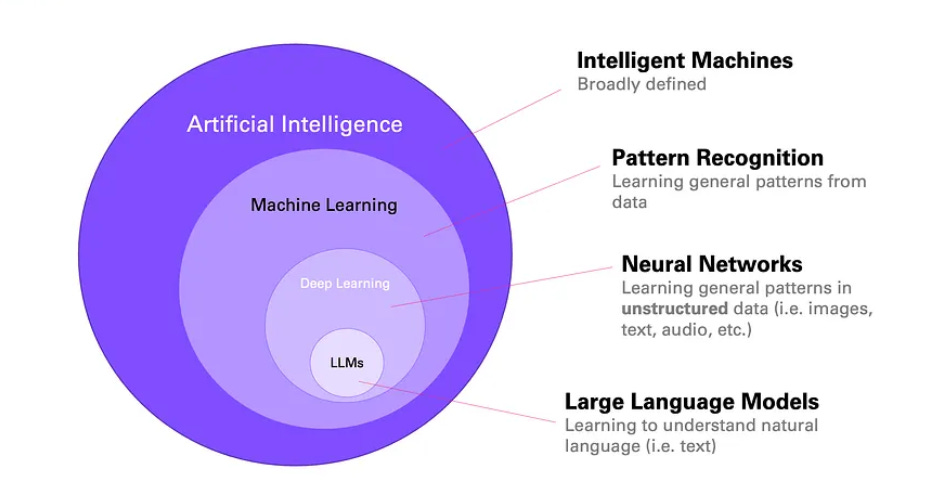
Simple example: You type “Write a SQL query to get the last 7 days of orders.” The model reads your text and generates SQL. It does not run the query; it only produces the text.
1.2 LLM Model Providers and Models
A model provider is the company or service that hosts and serves the models. You send your prompt to their API and get a response.
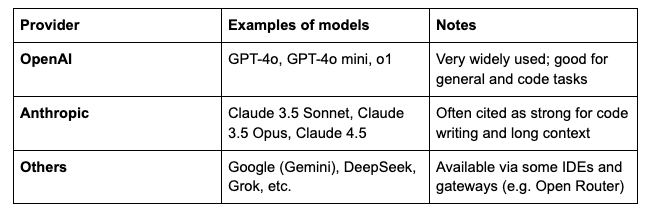
Models from the same provider can differ in:
Speed – faster models are usually cheaper and sometimes less capable.
Context window – how much text (and code) they can read at once (e.g. 32K, 200K tokens).
Reasoning vs non-reasoning – see below.
1.3 Reasoning vs Non-Reasoning Models
Non-reasoning (standard) models
They read your prompt and generate a response in one pass. They are fast and cost less per request. Good for: short answers, simple code, edits, and most day-to-day tasks.
Reasoning models (e.g. OpenAI o1, o3; some “thinking” modes)
They spend extra “thinking” steps before answering. They can be better for hard logic, math, or multi-step planning, but they are slower and use more tokens (so they cost more). Use them when you need deeper reasoning, not for every request.
Practical tip: For most data work (SQL, dbt, Python, docs), a good non-reasoning model (e.g. Claude 3.5 Sonnet, GPT-4o) is enough. Switch to a reasoning model only when you hit a genuinely hard problem.
1.4 Tokens
Tokens are the units the model uses to read and write text. Roughly:
1 token ≈ 4 characters in English, or about ¾ of a word.
Code and symbols often use more tokens per character.
Example of model cost from Antropic API:
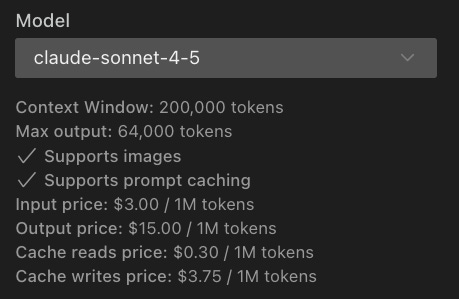
Why it matters:
Providers charge by token (input and sometimes output). Long prompts, long replies, and big context windows increase token usage and cost. Team or enterprise plans often have token quotas or dollar-based limits.
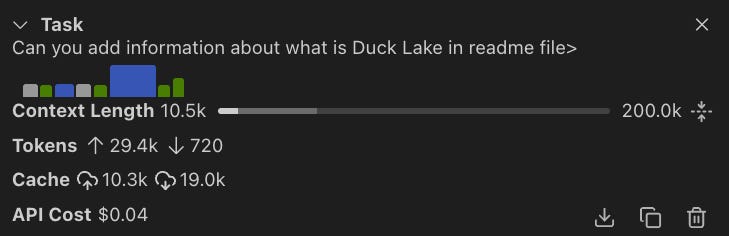
Simple example:
Prompt: “Write a SELECT that returns the top 10 customers by revenue.” → on the order of 10–20 tokens.
Response: a 20-line SQL query → maybe 100–200 tokens.
If you paste a 500-line dbt model into the prompt, that can be thousands of tokens per request.
1.5 Embedding and Indexing
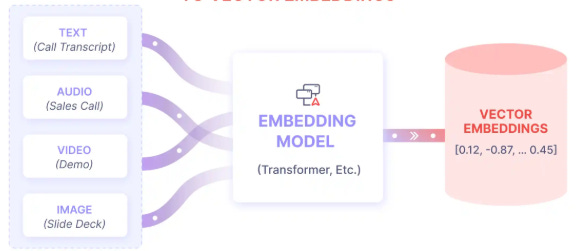
Embedding
An embedding is a numerical representation of a piece of text (or code). Similar meaning → similar numbers. Models use embeddings to search and compare text.
Indexing (in the context of AI IDEs)
Indexing means the tool (e.g. Cursor) builds a searchable “map” of your repo or docs using embeddings. When you ask a question, the tool finds the most relevant files or snippets and sends them to the model as context. So the model can “see” your codebase or documentation without you pasting everything manually.
Simple example:
You have a dbt project and external API docs. You index the repo and the docs. You then ask: “Create a bronze dbt model for the Amplitude events table using our project style.” The tool finds the right source file, existing models, and relevant docs, and the model generates the new model using that context.
1.6 MCP (Model Context Protocol)
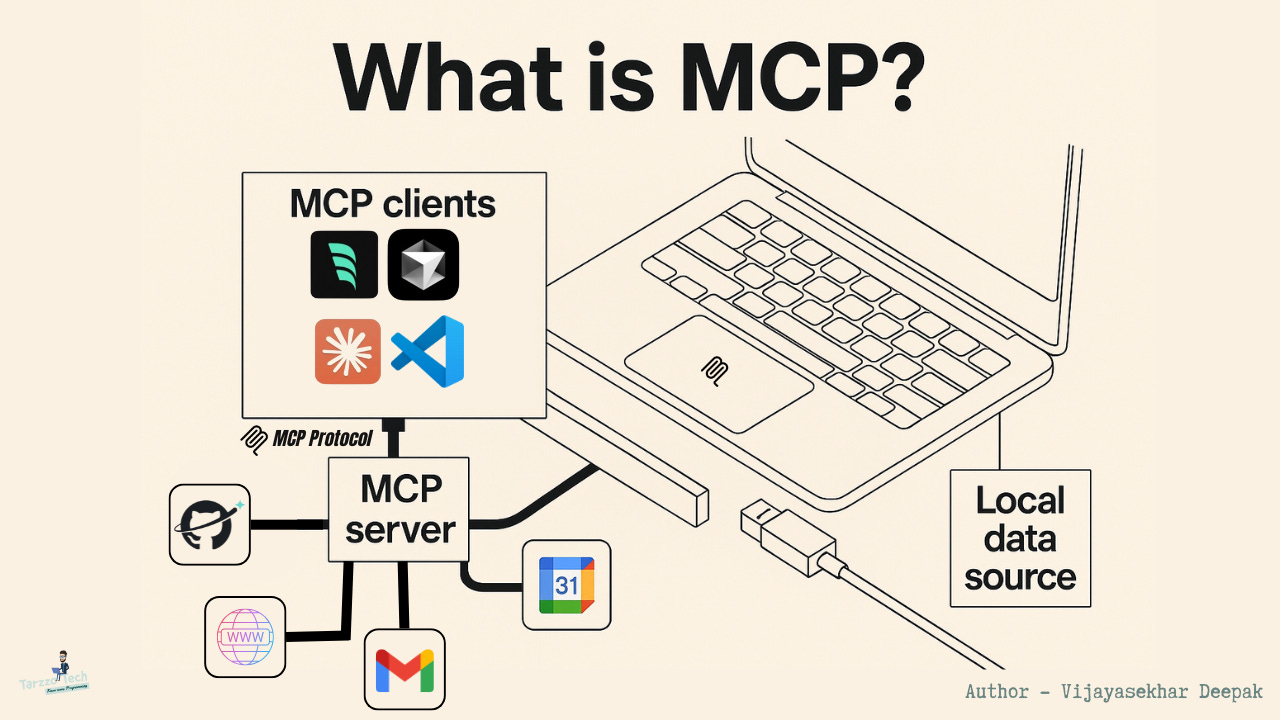
MCP is an open protocol that lets an AI assistant (in an IDE or CLI) call external tools on your behalf. For example:
Query a database (e.g. list schemas, get DDL, run a SELECT).
Call cloud APIs (e.g. AWS, Snowflake).
Read from files, run CLI commands (when allowed by the tool).
So instead of you running the query and pasting the result, you tell the assistant “list tables in schema X” or “get the DDL for table Y”; it uses MCP to run the right command and use the result in the answer.
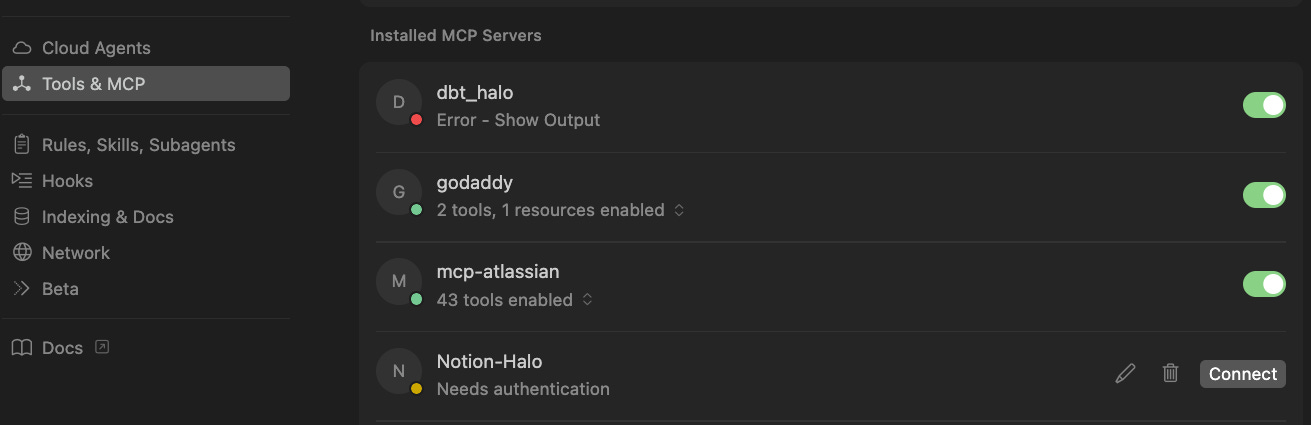
Or similar MCP for Claude Code in JSON file .mcp.json:
{
  "mcpServers": {
    "snowflake_solo": {
      "command": "/Users/github/dbt/.venv/bin/python3",
      "args": [
        "/Users/github/dbt/start_solo_mcp_simple.py"
      ]
    }
  }
}
Why it matters for data work:
You can ask the AI to inspect Redshift/Snowflake (schemas, tables, DDL), pull CloudWatch logs, or list AWS resources. It can then generate SQL, dbt, or docs using live metadata. Caution: MCP can use many tokens (lots of context and tool results), so watch usage and cost when you enable it.
1.7 Rules for Agents (Why They Matter and What to Put in Them)
Rules (or “agent rules”, “project rules”) are instructions that the IDE or agent applies to every (or chosen) conversations. They steer style, conventions, and safety without you repeating the same instructions in each prompt.
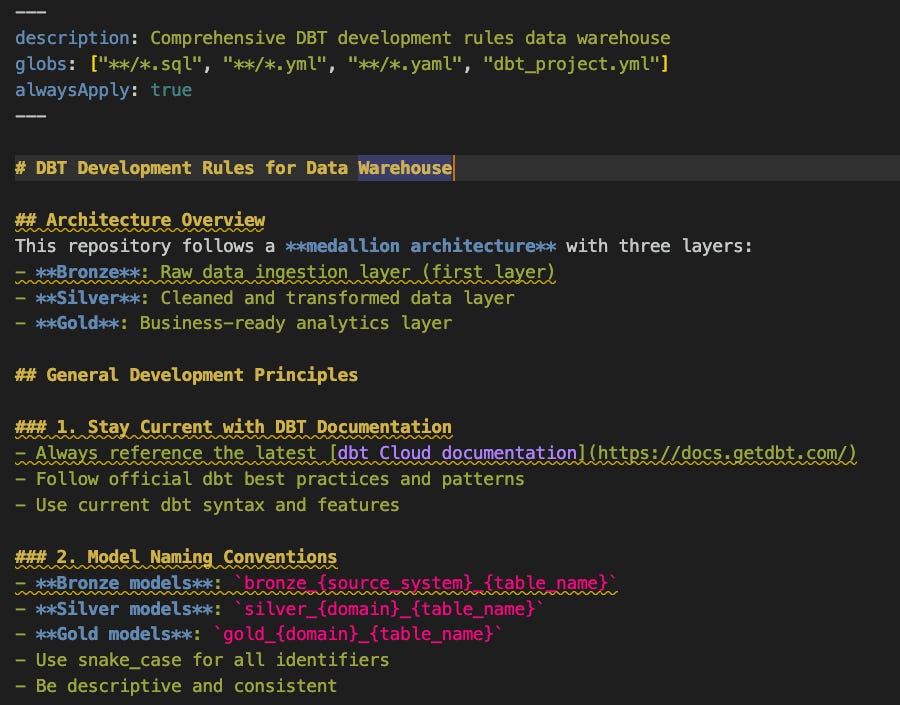
Why they are important:
Consistency – same SQL style (e.g. lowercase keywords), same dbt structure, same doc format.
Quality – enforce lint rules, testing, or “always add a short comment for complex logic.”
Efficiency – you don’t re-explain your stack or standards every time.
What you can put in rules (examples for data engineers/analysts):
SQL: lowercase keywords, table aliases, CTE naming, no SELECT * in production models.
dbt: layer naming (e.g. bronze/silver/gold), source and model naming, always add schema.yml and tests where needed.
Python: style (e.g. Black), type hints for public functions, docstrings for pipelines.
Docs: format (e.g. Markdown), what to document (sources, columns, refresh logic).
Stack: “We use Airflow for orchestration, dbt for transformations, Snowflake/Redshift as the warehouse.”
Security: “Never put credentials in code”; “Use key-pair auth for Snowflake when possible.”
You can have global rules (all projects) and project-specific rules (e.g. only for the “analytics-dbt” repo). In Cursor these live in .cursor/rules; in Claude Code you can use an AGENTS.md or similar file and reference it in the project.
2. Use Cases for Data Engineers and Data Analysts
These are concrete ways teams use AI assistants in data work.
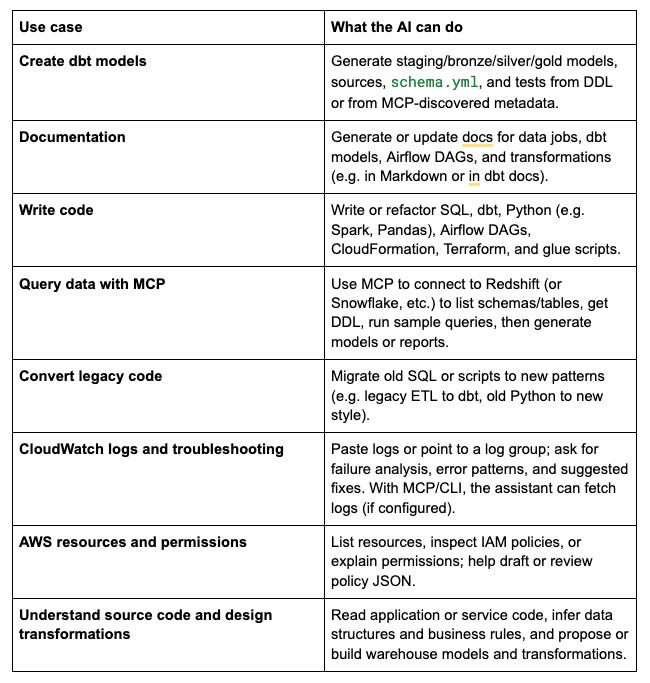
Important: Treat the AI as a junior assistant. You should understand the problem, the design, and the data; use the AI to speed up implementation, drafts, and troubleshooting, not to replace your judgment.
3. Tools Overview
From the simplest and most convenient to the more configurable or organization-managed options.
3.1 Cursor
What it is:
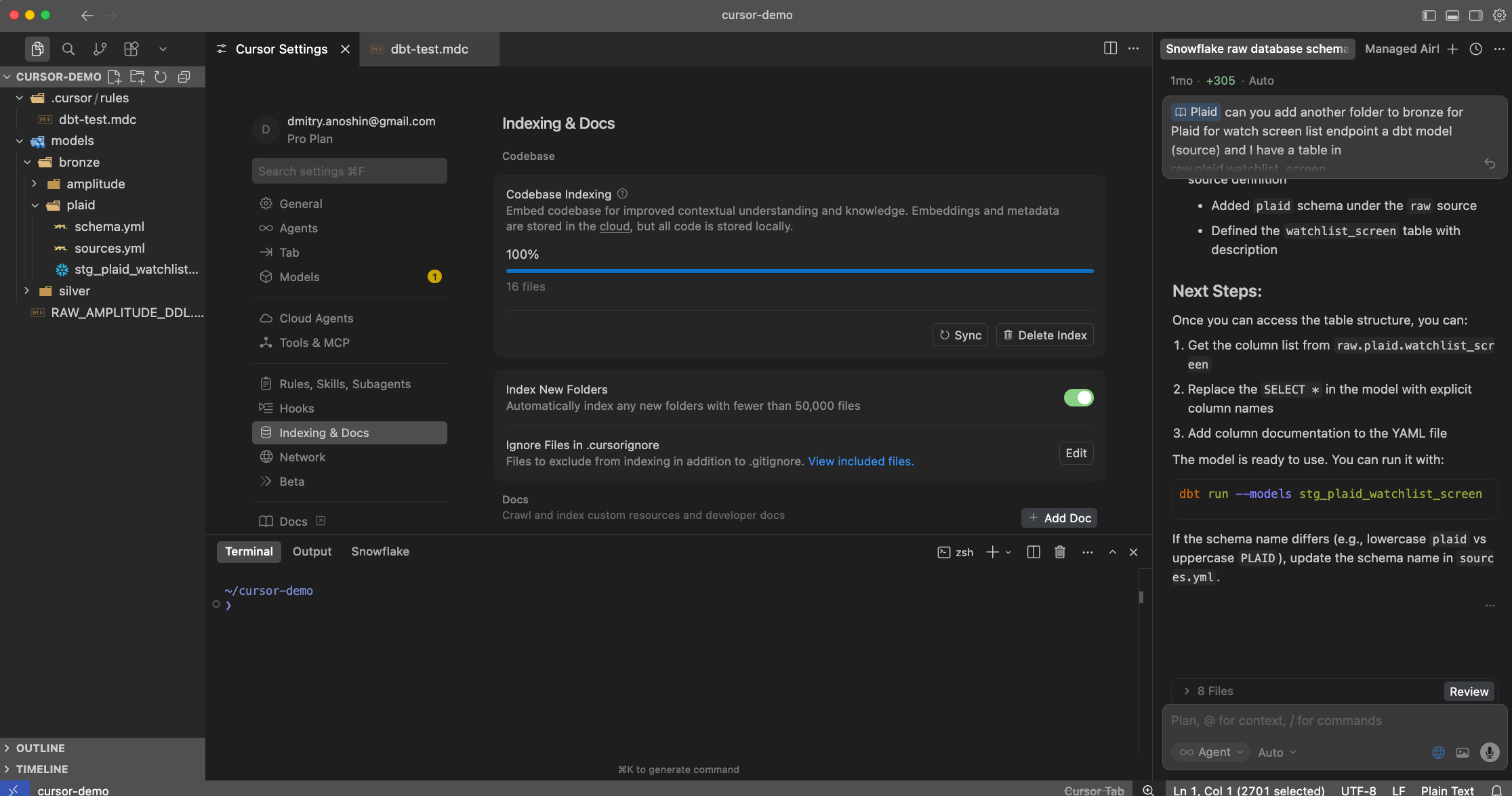
An AI-first IDE built on VS Code. It focuses on ease of use: rules, codebase indexing, and MCP are integrated in one place.
Why it’s convenient:
Rules – Project and global rules so the model follows your SQL/dbt/Python conventions without repeating them.
Indexing – Index repos and external docs (e.g. API docs via URL); the model uses this for context automatically.
MCP – Configure MCP servers (e.g. Snowflake, Redshift, AWS) once; use them from chat or Composer.
Models – You can use several providers; many users find Anthropic models (e.g. Claude 3.5 Sonnet/Opus) very good for coding.
Composer and Auto – Cursor’s own “Composer” and Auto mode are optimized for multi-file edits and long tasks; they often feel generous on quotas and can feel “unlimited” for typical use compared to strict per-request limits elsewhere.
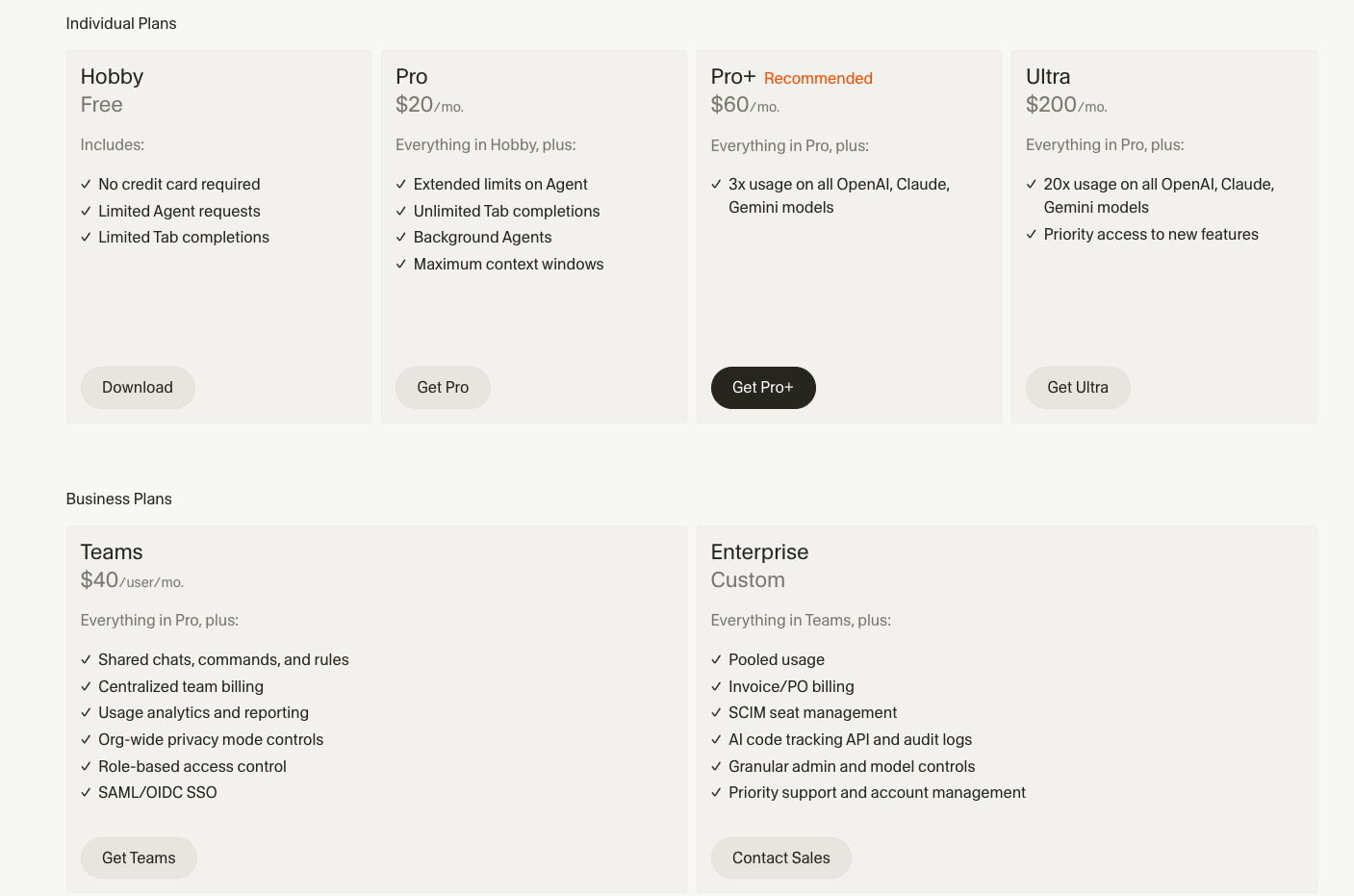
Pricing (highlight):
Personal: Paid plan around $20/month (e.g. $20 for Pro); often includes a set of “fast” requests and then usage-based.
Teams / Business: Per-seat; higher limits and team management.
Check cursor.com for current tiers and token/request limits. Composer and Auto may have different quota rules than standard chat.
3.2 Claude Code (Anthropic)
What it is:
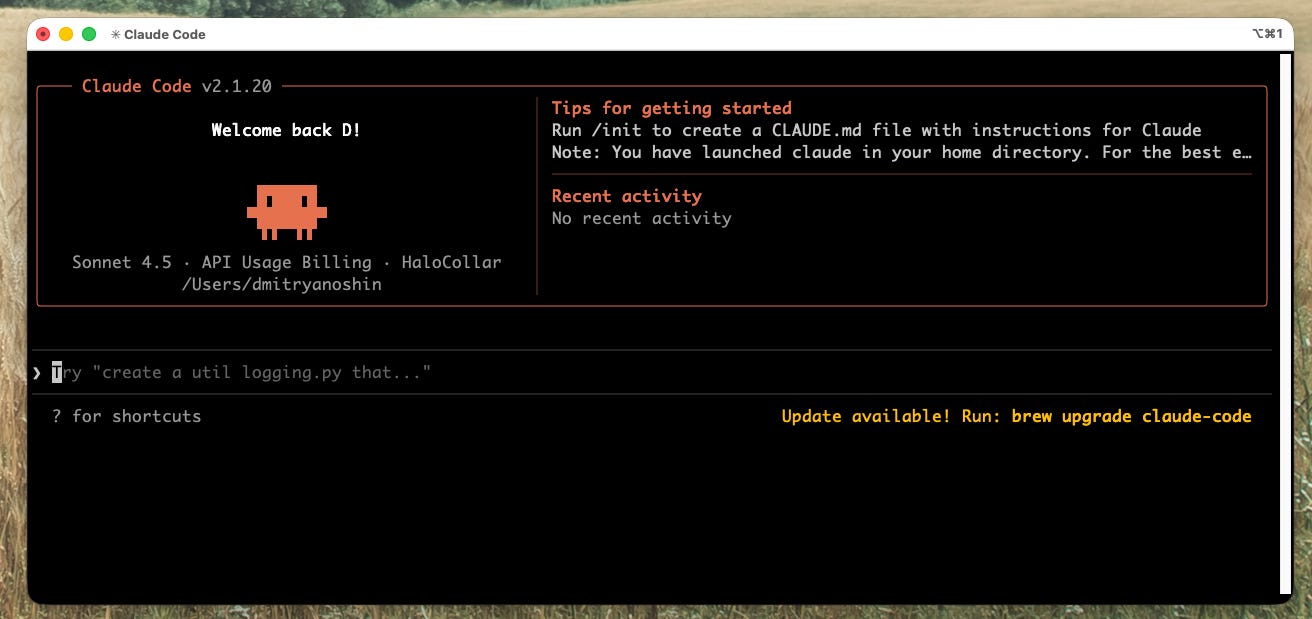
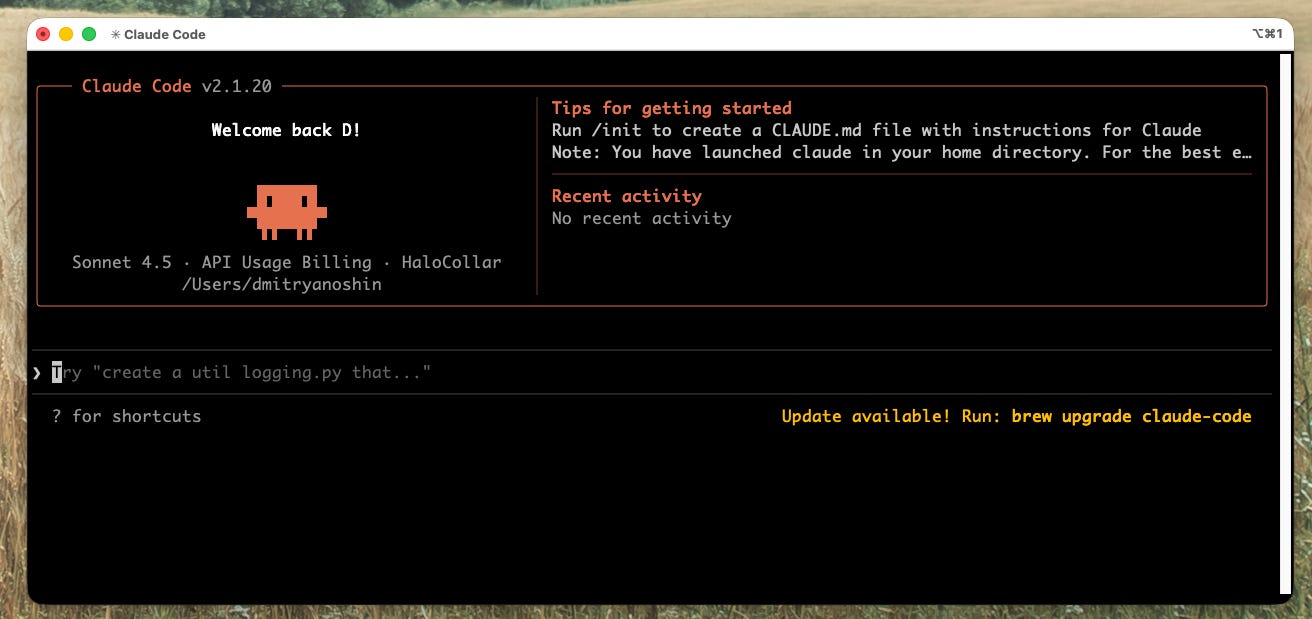
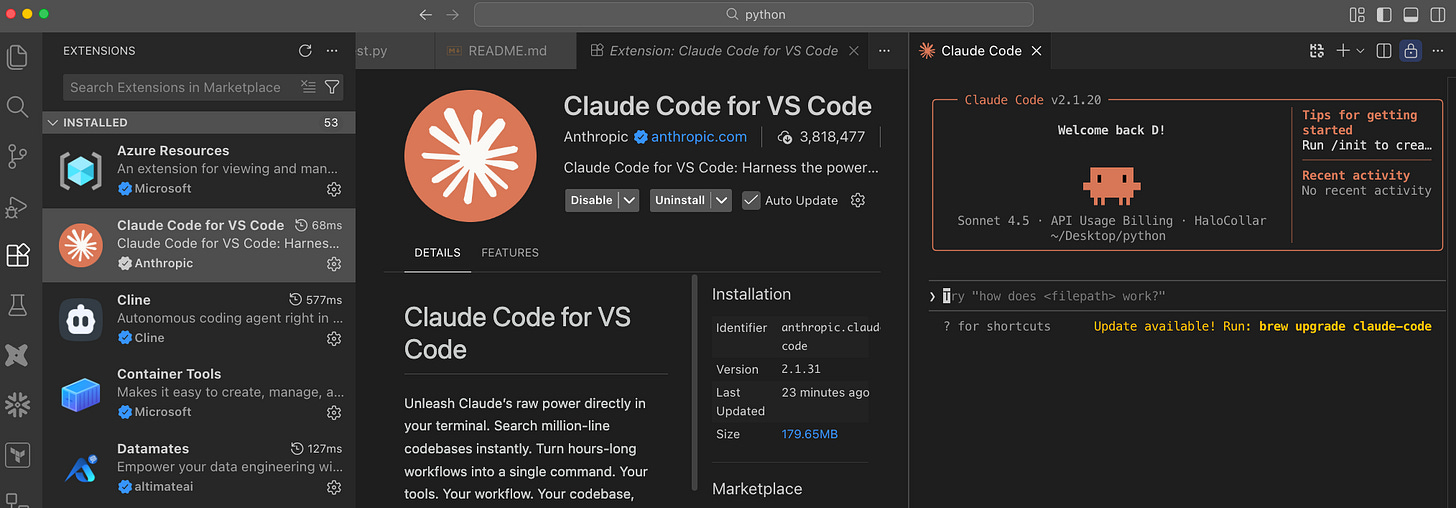
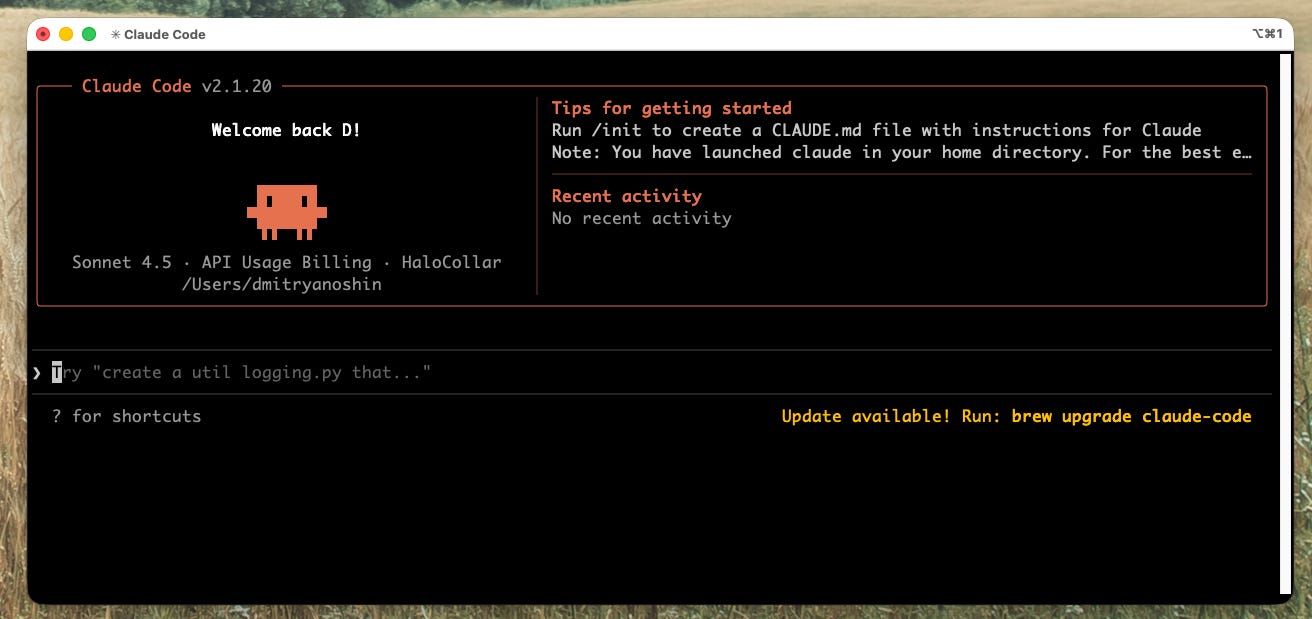
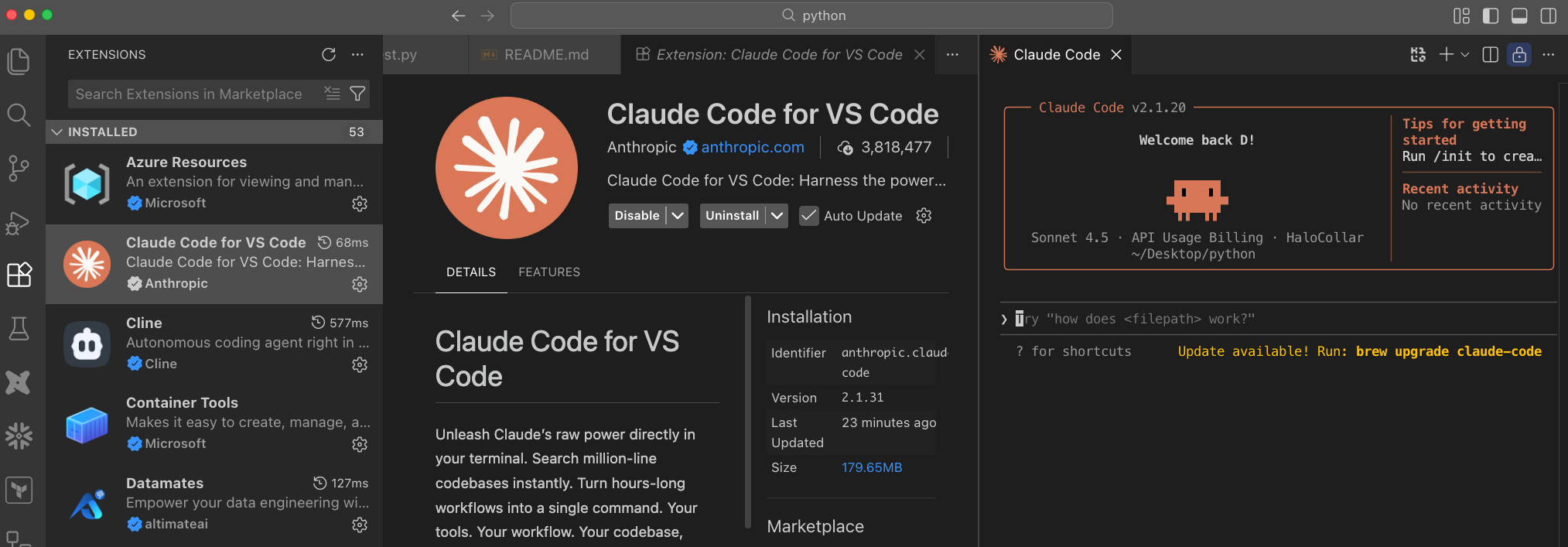
Anthropic’s coding agent. You can use it from the CLI (terminal) or via the Claude extension in VS Code. It’s the same “Claude” chat experience, with the ability to run commands, read/write files, and use MCP when configured.
How people use it:
CLI – Run Claude (or similar) in a terminal; chat and give tasks in a project folder. No IDE required.
VS Code – Install the Claude Code / Anthropic extension; get a chat panel and agent behavior inside VS Code.
Benefits:
Strong models (e.g. Claude 3.5 Sonnet/Opus, Claude 4.5) that many developers like for code.
Same account and behavior in CLI and VS Code.
MCP and custom instructions (like rules) are supported.
Models:
Claude Code uses Anthropic models only (it does not switch to OpenAI or others). You can choose model size in settings (e.g. Sonnet vs Opus).
Tokens and pricing:
Usage is token-based; you have daily/monthly quotas depending on plan.
Teams (and Enterprise) have dollar-based or higher token quotas – it’s easy to hit limits if many people use it heavily (e.g. PR reviews, large context).
Tip: Monitor usage; there are known cases of teams burning through large monthly quotas (e.g. in CI or with MCP), so set alerts if your org uses Teams.
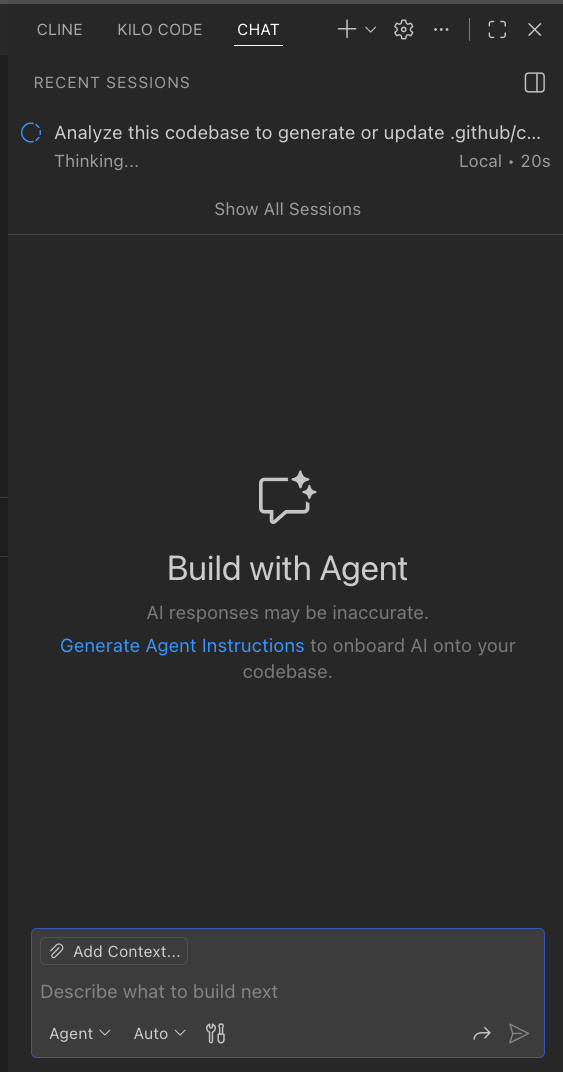
3.3 Third-Party Plugins: Kilo Code and Cline (VS Code)
What they are:
Extensions for VS Code that give you an AI chat/agent experience and can use multiple model providers (e.g. OpenAI, Anthropic, Open Router).
Kilo Code (e.g. from kilo.ai):
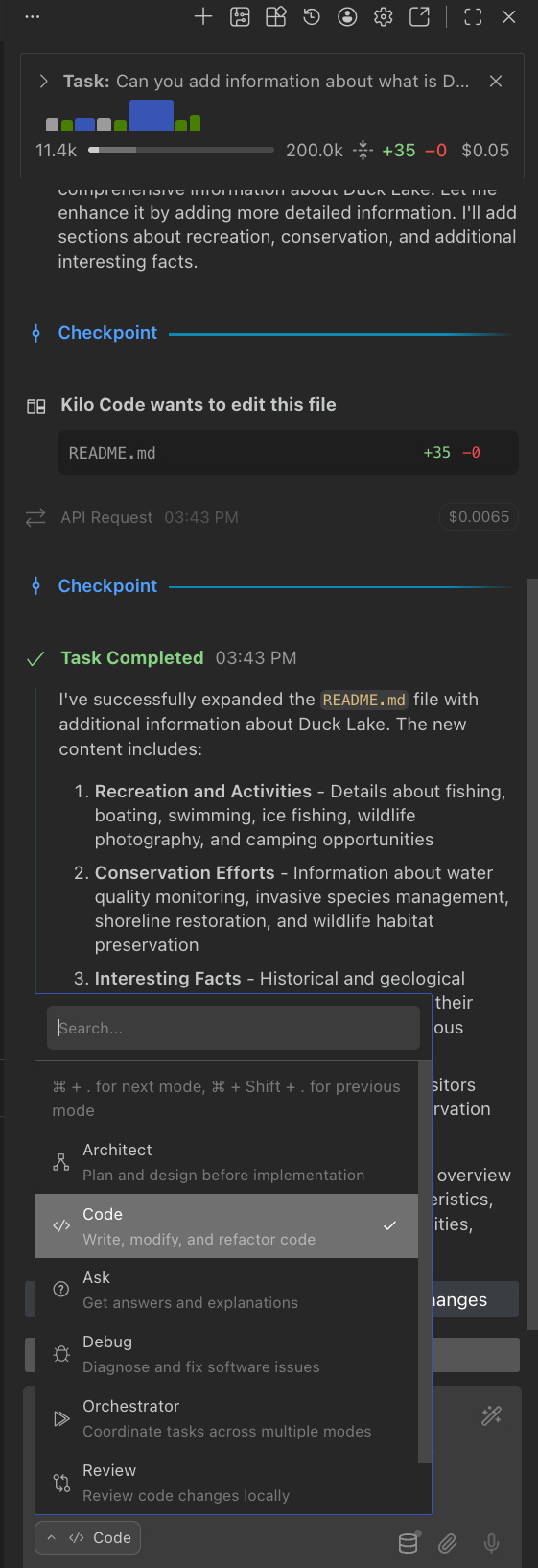
Connects to your API keys (Anthropic, OpenAI, or Open Router).
Open Router acts as a gateway to many models (Claude, GPT, Gemini, DeepSeek, etc.) with one key.
Good when Claude Code is blocked or you want to switch providers without changing IDEs.
Shows cost per request (e.g. “$0.74 for this request”), which helps with token awareness.
Cline (formerly Claude Dev):
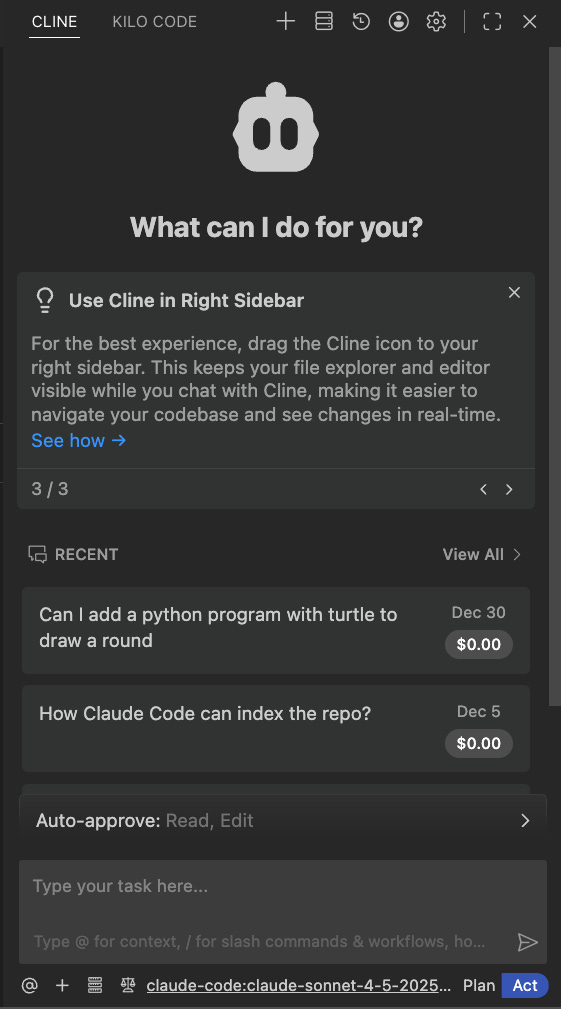
Another VS Code agent that can use different backends (e.g. OpenAI, Anthropic).
Similar idea: chat, code generation, sometimes MCP; you bring your own API key.
Benefits:
Stay in VS Code with your existing extensions.
Any supported provider – not tied to one vendor.
Open Router (with Kilo or similar) – one API key, many models; useful for comparing models or using what your org allows.
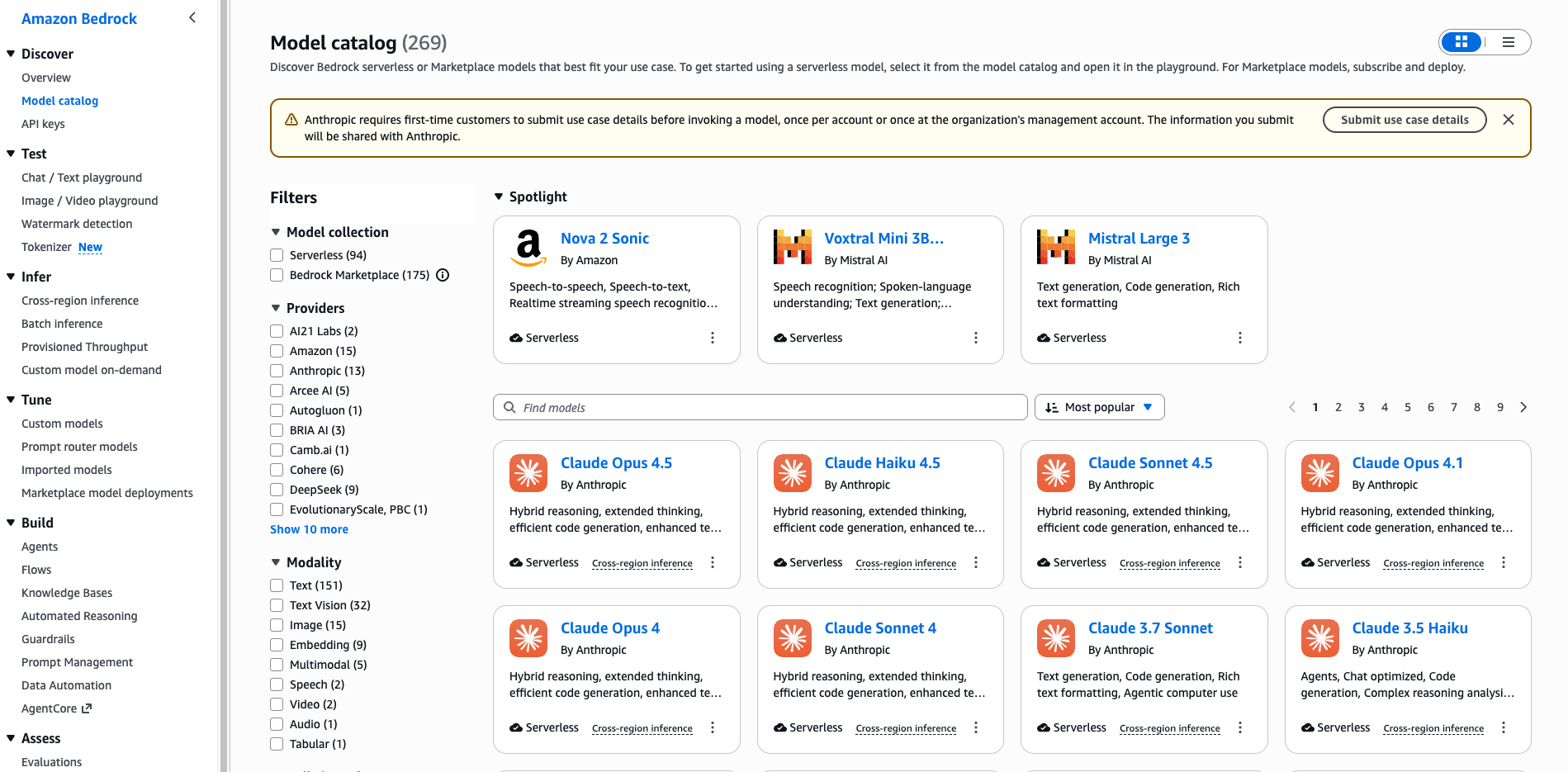
3.4 AWS Bedrock
What it is:
AWS’s managed service for foundation models. You don’t talk to OpenAI or Anthropic directly; you call Bedrock APIs and choose from the models AWS offers (including some from Anthropic, Meta, Mistral, etc.).
Why it matters for teams on AWS:
Data and compliance – Data stays in your AWS account and region; useful for data governance.
Unified billing – Model usage on one AWS bill.
Enterprise controls – IAM, VPC, logging.
How it can work with VS Code:
Some extensions or custom integrations allow “Bedrock” as a model backend (e.g. via API endpoint and AWS auth). You may need to check the marketplace or your internal tools.
Alternatively, you use Bedrock from your own scripts or internal tools; the “IDE” part might still be Cursor, Claude Code, or a VS Code plugin that supports a Bedrock-compatible API.
Models:
Bedrock offers a subset of models (e.g. Claude, Llama, Mistral, others). Not every model from every provider is available; check the current Bedrock model list for your region.
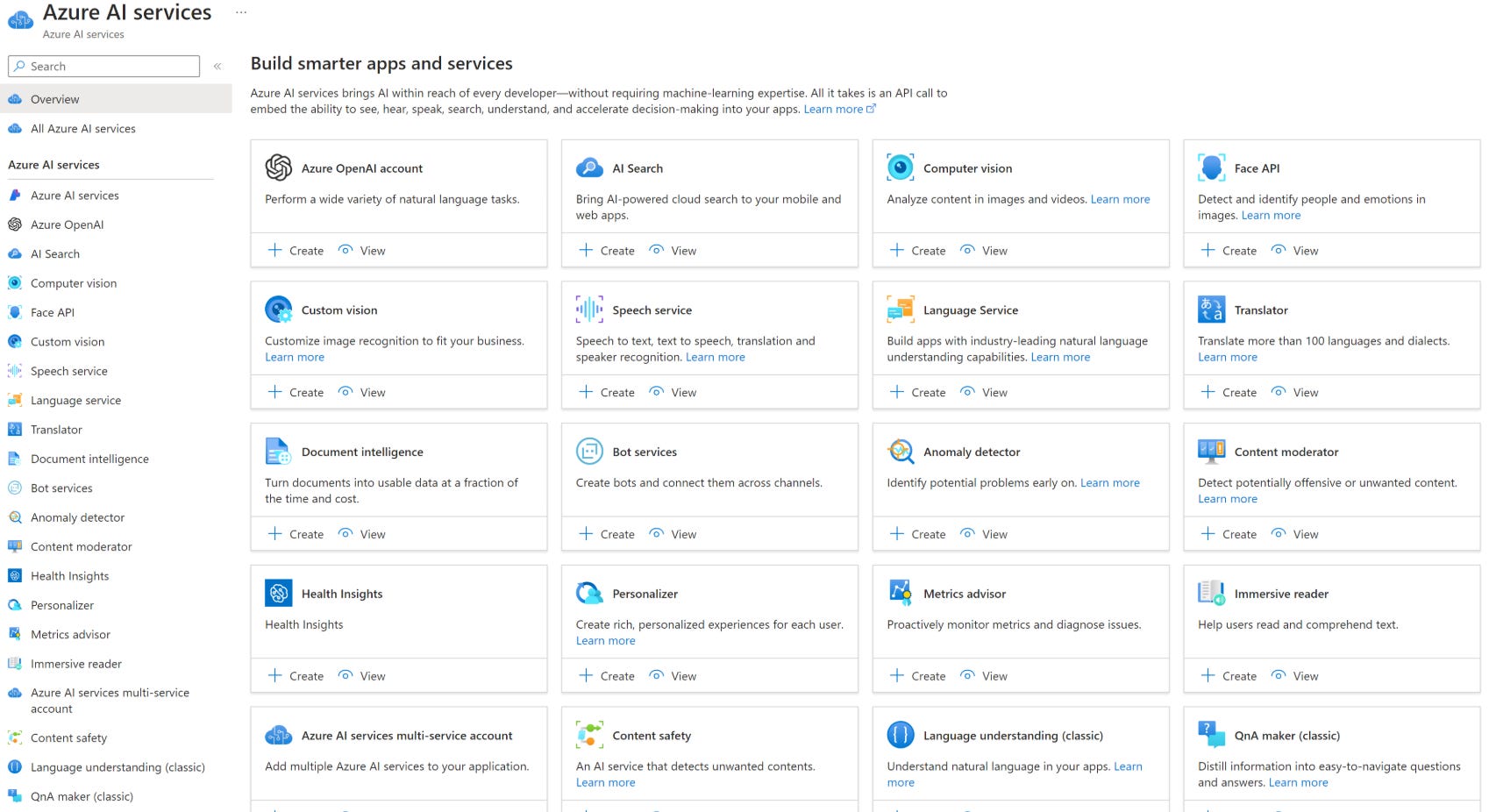
3.5 Azure (Azure OpenAI / Azure AI Studio)
What it is:
Microsoft’s managed service for foundation models in Azure. Similar in role to AWS Bedrock: you call Azure APIs instead of talking to OpenAI or other providers directly. Azure OpenAI Service offers OpenAI models (GPT-4o, etc.) in your tenant; Azure AI Studio provides a single place to use Azure OpenAI and other models (including some open and third-party models).
Why it matters for teams on Azure:
Data and compliance – Data stays in your Azure tenant and region; fits Microsoft-centric governance and enterprise agreements.
Unified billing – Model usage on your Azure bill.
Enterprise controls – Azure AD, RBAC, private endpoints, audit logs.
How it can work with VS Code:
GitHub Copilot (when backed by your org’s subscription) can use Azure OpenAI where configured.
Extensions or internal tools can call Azure OpenAI (or Azure AI) APIs with Azure auth; you use your usual IDE with a Bedrock-like “bring your own cloud” backend.
Models:
Azure OpenAI offers OpenAI models (e.g. GPT-4o, GPT-4o mini, o1). Azure AI Studio may offer additional models; check the Azure AI Studio and Azure OpenAI docs for the current list in your region.
3.6 GCP (Vertex AI)
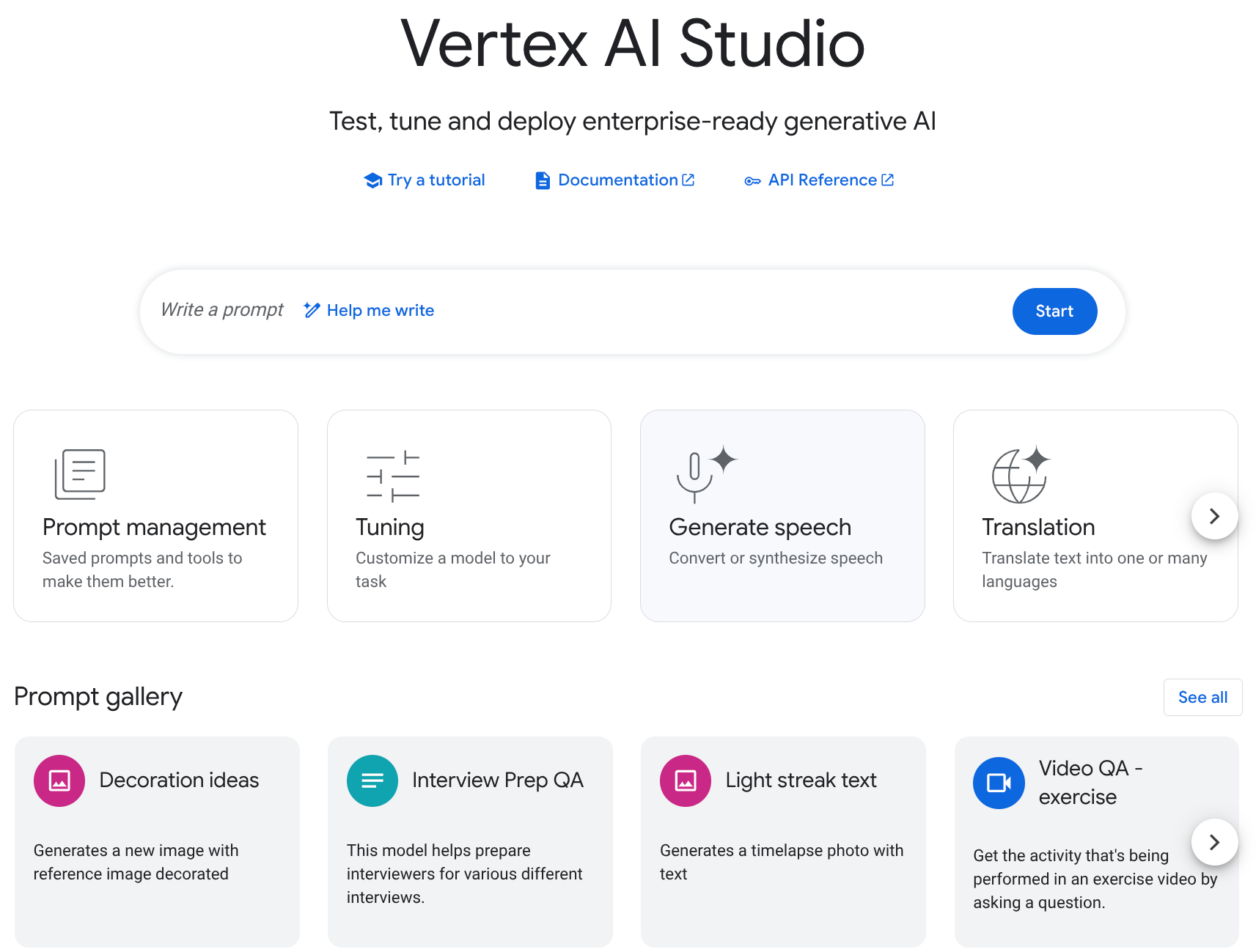
What it is:
Google Cloud’s managed platform for foundation models. Vertex AI lets you use Gemini, and often other models (e.g. open or partner models), via Google’s APIs. Like Bedrock and Azure, your data and usage stay in your GCP project.
Why it matters for teams on GCP:
Data and compliance – Data stays in your GCP project and region; useful for Google-centric data governance.
Unified billing – Model usage on your GCP bill.
Enterprise controls – IAM, VPC-SC, audit logging.
How it can work with VS Code:
Some extensions or internal tools support Vertex AI as a model backend (e.g. via REST or SDK with GCP auth). You code in VS Code while the model runs in your project.
Alternatively, you call Vertex AI from scripts or pipelines; the “IDE” part stays in Cursor, Claude Code, or a plugin that can target a compatible API.
Models:
Vertex AI offers Gemini (e.g. Gemini 1.5 Pro/Flash, Gemini 2.0) and often other models. Check the Vertex AI model garden for the current list and regions.
3.7 Google Antigravity (IDE alternative)
What it is:
Google Antigravity is Google’s AI-first IDE and agentic development platform (launched in preview in 2025). Unlike “AI inside VS Code,” it is a dedicated environment where AI agents can plan work, edit multiple files, run and debug code, and be monitored from an Editor view and a Manager surface. It is positioned as an alternative to Cursor or Claude Code for teams open to a Google-native, Gemini-based workflow.
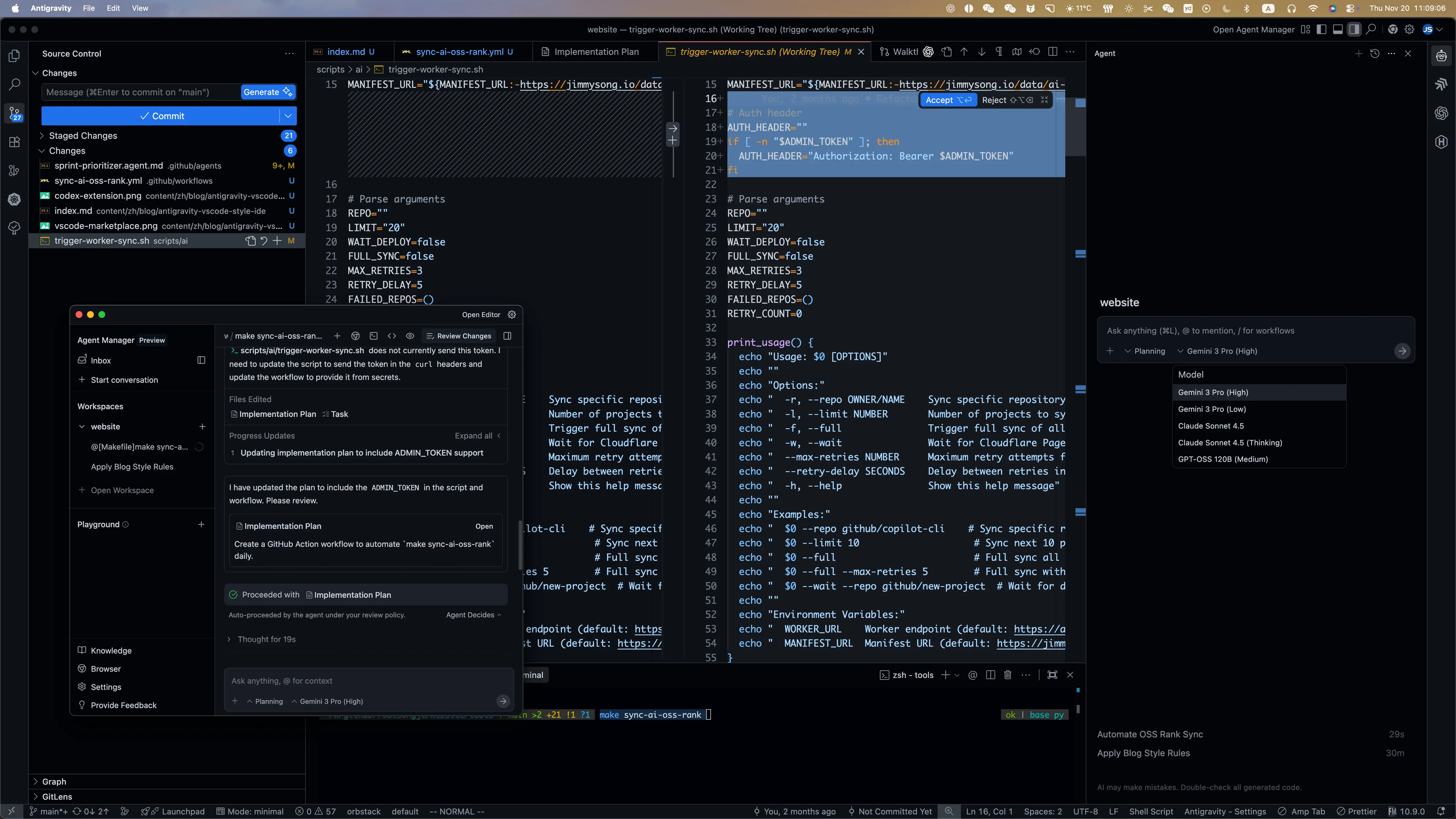
Why consider it:
Free in preview – Currently available at no charge for personal Gmail accounts (preview).
Gemini-powered – Uses Google’s latest models (e.g. Gemini 3 Pro) tuned for code and multi-step tasks.
Agent-centric – Task-based agents, artifacts, verification, and optional multi-agent orchestration.
Two modes – Editor view for hands-on coding with inline AI; Manager surface to spawn and observe agents across workspaces.
Relevance for data engineers/analysts:
Same use cases as other AI IDEs: SQL, dbt, Python, docs, refactors. Quality will depend on Gemini’s code and reasoning support and how well your stack (e.g. dbt, Airflow, cloud) is represented in context.
Good to evaluate if your org is already on GCP or considering Gemini; can complement or substitute Cursor/Claude Code for day-to-day coding.
Caveats:
Preview product; roadmap and enterprise/team plans may change. Check antigravity.google and Google’s developer docs for current availability and terms.
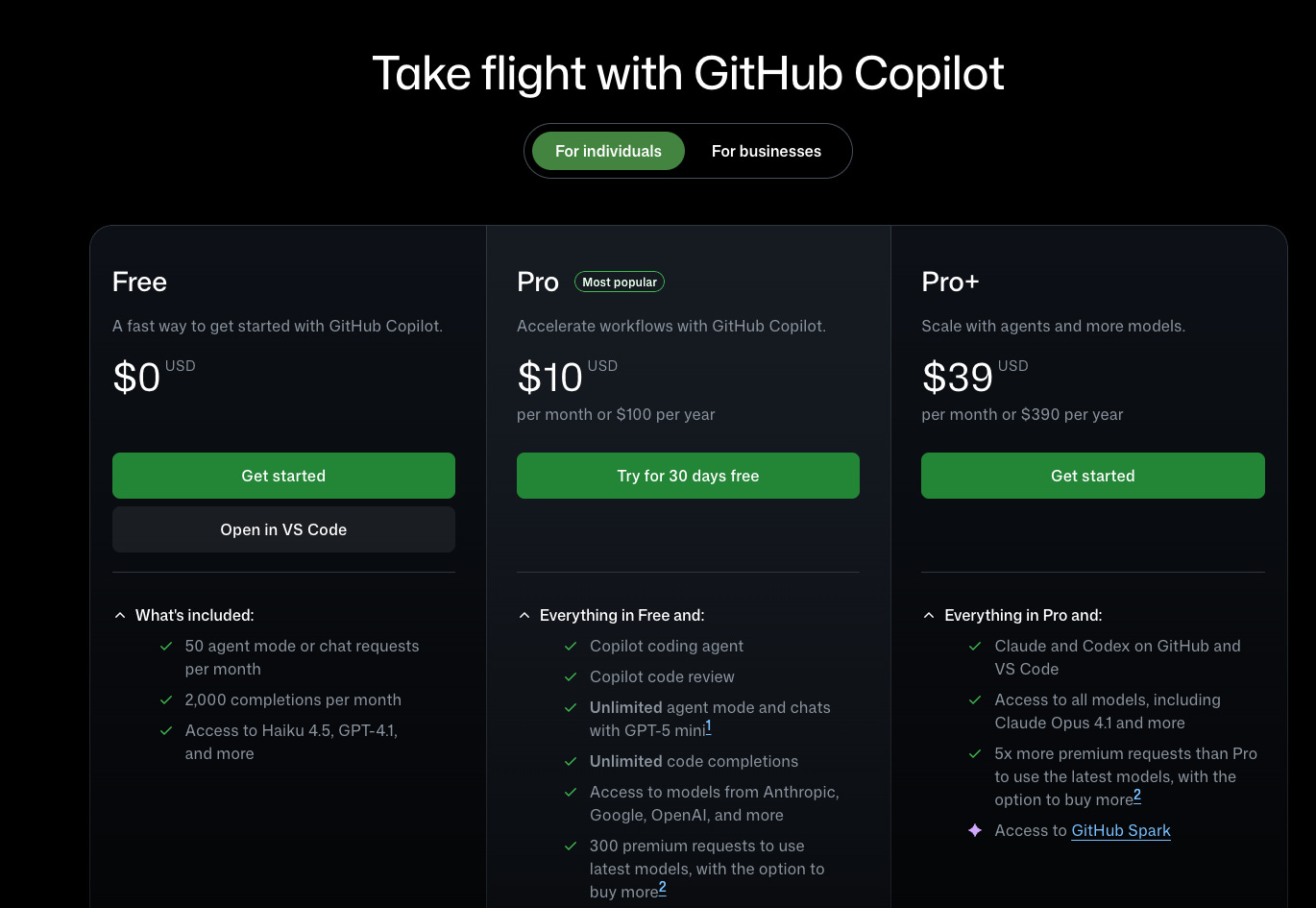
3.8 GitHub Copilot
What it is:
Microsoft’s AI pair programmer: inline completions, chat, and (in Copilot+) more agent-like features. It integrates with VS Code (and other editors) and is widely used in organizations that already have Microsoft/GitHub agreements.
Why include it:
Many organizations already have Copilot (per-seat or as part of a deal). It’s the default “AI in the editor” for a lot of developers.
Tight VS Code integration – Completions as you type, chat in the sidebar, and (where available) agent features.
Relevance for data engineers/analysts:
Good for inline code (SQL, dbt, Python, YAML for Airflow/Terraform) and short explanations.
Less emphasis (today) on deep “index whole repo + MCP + rules” in the way Cursor or Claude Code do; often used as a daily driver for suggestions and quick chat, with other tools for heavy lifting.
4. Summary Table
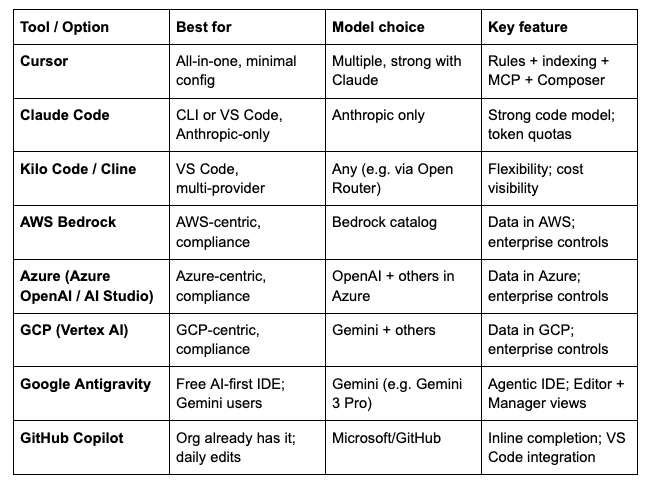
Summary
As I mentioned in the beginning, you need to have an IDE that allows you to leverage the power of one of the top LLM models from OpenAI, Gemini, or Antropic and just start to use them in your daily routine.
If you want to see a real demo of how we are using AI, I have a session for you: